
Two of the most common CAM packages for CNC routing are VCarve Pro and Fusion 360. They take very different approaches: VCarve Pro is purpose-built for CNC routing with a shop-operator interface, and Fusion 360 is a full CAD/CAM platform with broader capability but a steeper learning curve. For most production woodworking and sign shops, VCarve Pro is the faster path to productive output. For shops doing significant design or mixed-material work, Fusion 360 has real advantages. This guide breaks down the comparison.
VCarve Pro: What It’s Built For
VCarve Pro is purpose-built for CNC routing of wood, sign material, and similar shop production work. The user interface is designed for shop operators rather than CAD professionals. Toolpath strategies are pre-built and optimized for common routing operations: profile cuts, pocket cuts, V-carving, drilling, nested-based manufacturing. The learning curve is manageable enough that most operators are productive within a week of focused use.
Strengths: fast to productivity, gentle learning curve, robust import from Illustrator and CAD, mature toolpath strategies, perpetual licence with no subscription. Limitations: no significant 3D modelling (use Aspire for that), not designed for mixed-material or engineering workflows.
Fusion 360: What It’s Built For
Fusion 360 is a full CAD/CAM platform aimed at product design, engineering, and manufacturing. It includes 3D modelling, parametric design, simulation, and a manufacturing module that generates CAM toolpaths. The CAM module is powerful but more complex than purpose-built CAM packages like VCarve Pro. Operators typically need significantly more time to become productive.
Strengths: full CAD/CAM in one tool, parametric design, multi-material workflows, strong integration with mechanical engineering work. Limitations: steeper learning curve, subscription pricing forever, overkill for most CNC routing shops doing 2.5D woodworking.
Workflow Speed: Cabinet, Sign, and Custom Work
For cabinet, sign, and custom woodworking shops, VCarve Pro is faster from CAD file to running toolpath. Most jobs go from design import to G-code in minutes. Toolpath libraries handle common bit sizes and material types with sensible defaults.
Fusion 360 can do the same work but with more steps and more decisions per job. For a shop doing repetitive sign or cabinet work, the extra steps add up. For a prototyping shop where every job is different, the extra flexibility is sometimes worth the time.
Learning Curve and Time to Productive Output
VCarve Pro
Most operators are productive within a week of focused use. Two or three sample jobs and the workflow clicks. The interface is built around ‘design a part, choose a toolpath, post the G-code’ which mirrors how shop operators actually think about CNC work.
Fusion 360
Most users need several weeks to become comfortable with even basic CAM workflows. Full proficiency takes months. The interface assumes some baseline CAD knowledge and is designed for users who think parametrically about design. Shop operators without CAD background often struggle initially.
For shops where the CNC operator isn’t a dedicated CAD specialist, VCarve Pro removes a significant productivity barrier. For shops with dedicated CAD/CAM expertise on staff, Fusion 360’s depth becomes useful.
Cost: True Cost of Ownership
VCarve Pro
Perpetual licence at $999 at the product page price (the site shows your local currency). Buy once, own forever. Optional upgrades to new versions are available when Vectric releases them but are not required.
Fusion 360
Subscription at roughly $500 to $700 per year for commercial use. Free for personal use under specific revenue limits. Subscription means ongoing cost forever to keep using the software.
Over 5 years: VCarve Pro at $999 one-time vs Fusion 360 at $2,500 to $3,500 (5 years of subscription). The math favours VCarve Pro long-term for production shops planning to use the software for years. For shops already on Fusion 360 for design work, adding the CAM module is the natural choice and the cost calculation changes.
File Compatibility and Toolpath Strategies
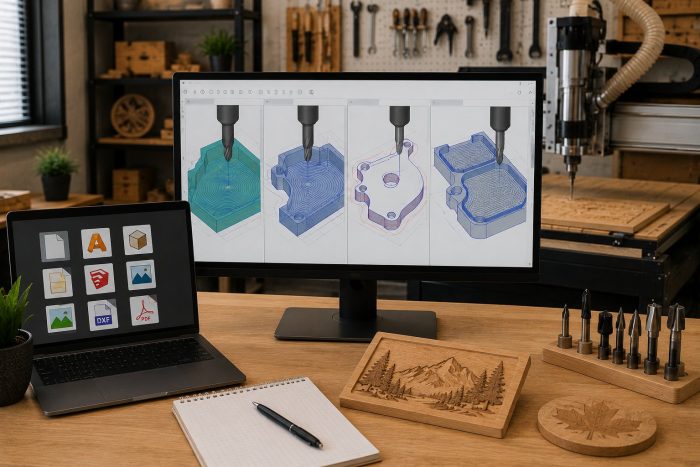
Both packages handle standard file formats: vector imports (DXF, AI, EPS, SVG) and 3D imports (STL, OBJ, STEP). Both export G-code compatible with virtually any CNC router controller, including our eCNC and iCNC controllers. The difference is in the toolpath strategy library: VCarve Pro’s strategies are tuned for woodworking and sign work, while Fusion 360’s strategies cover broader manufacturing including mill work, lathe work, and 5-axis (overkill for most CNC routing).
Which Software Should Your Shop Choose
Choose VCarve Pro if:
• Your work is primarily 2.5D woodworking, sign making, or custom millwork
• Your CNC operator needs to be productive fast without becoming a CAD specialist
• You want a perpetual licence rather than ongoing subscription
• You’re running a CNC router (not a mill or other machine type)
Choose Fusion 360 if:
• Your work involves significant 3D modelling and design alongside CNC production
• You’re working in mixed material including metal cutting
• You have dedicated CAD/CAM expertise on staff
• You want one tool to cover design, CAM, and broader engineering workflow
• You’re already using Fusion 360 for design and want to integrate CAM into the same workflow
Frequently Asked Questions
Can I use both VCarve Pro and Fusion 360?
Yes, and some shops do. Design in Fusion 360 for parametric or complex work, export to VCarve Pro for production toolpath generation when the work is 2.5D woodworking. Most shops settle on one over time for workflow simplicity.
Is Aspire a substitute for Fusion 360?
Aspire ($1,995 at the product page price) adds 3D modelling on top of VCarve Pro’s 2.5D capability. It’s the natural upgrade path for shops doing decorative or sculptural 3D work in wood. It’s not a substitute for Fusion 360 for parametric design or engineering work.
Will my CNC router work with both?
Yes. Both packages export standard G-code compatible with virtually any CNC router. Our eCNC and iCNC controllers work cleanly with both.
What about LightBurn for CO2 lasers?
LightBurn is the most common pick for CO2 laser cutting (different software class from CNC router CAM). VCarve Pro and Fusion 360 are CNC router CAM packages. If you’re running both a CNC router and a CO2 laser, you’ll likely run one CAM package for the router (VCarve or Fusion) and LightBurn for the laser.
Talk to Us About Software for Your CNC
If you’re trying to decide on software for your CNC purchase, tell us about your work and we’ll point you at the right CAM package. Software can be added to your CNC order, and optional training packages are available when your team wants help getting up to speed.