
Choosing the right CNC machine for your Canadian shop, school, or makerspace comes down to seven specific decisions: production volume, machine type (router vs laser), bed size, software, shop space and power, total cost of ownership, and the kind of support you’ll have after the machine is in your shop. Get those right and you end up with a machine that earns its place in the shop and grows with the work. Get them wrong and you spend real money and downtime replacing the wrong machine inside two years. This guide walks through each decision in the order most Canadian buyers should think about them.
Step 1: Define Your Production Volume and Material Mix
Start with what you actually do, not what you might do someday. Count the projects per week, the typical material thickness, and the typical part size. A sign shop cutting two to three signs a week has different requirements than a custom builder running daily production. A high school CAD program has different requirements again.
Light or learning volume (under three sheets per week): a DISCOVERY 1 or DISCOVERY 2 desktop CNC handles small parts, jewellery, signage detailing, and prototyping. Schools running an enclosed classroom CNC step over to the ACADEMY series. For the room itself, here is how to set up a school CNC lab.
Small-shop production (three to fifteen sheets per week): SIMPLY 8, DISCOVERY 8, or PERFORMANCE 8 in the 24″ x 48″ range. This covers most sign shops, custom builders, and prototyping shops.
Larger small-shop production (10+ sheets per week, larger panels): PERFORMANCE 16 or PERFORMANCE 16ATC in the 48″ x 48″ range. The right pick when panels are bigger and the work is daily.
Step 2: Decide Between a CNC Router, Laser, or Plasma
Each machine class does different work. Pick based on what you’re actually cutting, not what sounds versatile.
Choose a CNC router when you’re cutting plywood, MDF, hardwood, plastics, composites, foam, acrylic, or non-ferrous metals. You need 3D milling, pocket cutting, or routing operations on thicker material. You’re doing cabinet panels, sign panels, custom millwork, or structural work.
Choose a CO2 laser when you’re cutting acrylic, leather, paper, fabric, HDU, or thin wood with fine detail. You need engraving on wood, leather, acrylic, glass, or coated metal. You’re doing dimensional acrylic letters, layered signs, or personalization work.
Choose a plasma when you’re cutting steel, stainless, or thicker bare metal. Our catalog focuses on CNC routers and CO2 lasers, not plasma. If plasma is your fit, we’ll point you to the right place.
Many growing shops eventually want both a small-format CNC and a CO2 laser. Most start with whichever matches their primary product line.
Step 3: Match the Bed Size to Your Real Work
Bed size is where buyers most often over-spec. The temptation is to reach for the largest bed available so you don’t outgrow it. In the small-format world, this usually backfires: you end up with a machine that fills the shop, uses power you don’t have, and runs less than it sits.
Our CNC lineup runs from 12″ x 12″ (DISCOVERY 1, ACADEMY 1) up to 48″ x 48″ (PERFORMANCE 16, DISCOVERY 16). The lineup doesn’t include 4’x8′ or larger CNC routers; that’s a different machine category. If your work fits cleanly on 24″ x 48″ panels, the SIMPLY 8 or PERFORMANCE 8 is the right pick. If you regularly handle 48″ x 48″ panels, step up to the 16-class.
On the laser side, bed sizes run from desktop (Muse Core, Mira 5S Redline) through mid-range (Mira 7S Redline, PS24) up to the Atlas 4’x8′ 150W flatbed for production volume.
Step 4: Choose Your Software Stack
The CNC is half the system. The CAM software is the other half. Pick the software before you finalize the machine so the workflow is figured out from day one.
VCarve Pro (view current pricing on the product page) is the most common pick for production woodworking, sign making, and custom millwork. The interface is built for shop operators rather than CAD professionals, which is why most production shops choose it.
Aspire (view current pricing on the product page) adds full 3D modelling for shops doing decorative or sculptural work. VCarve Desktop (view current pricing on the product page) is the lower-tier option with a smaller job-size ceiling for hobby and classroom use.
Fusion 360 is an option if you already have CAD expertise on staff and want one tool for design through manufacturing. The learning curve is steeper than VCarve and the value is highest when you’re already using Fusion for design work.
Step 5: Plan for Shop Space, Power, and Dust/Fume Management
Three site checks before you order any machine.
Floor space: A DISCOVERY 1 fits on a bench. A 24″ x 48″ PERFORMANCE 8 wants roughly 8 by 6 feet of floor with working room. A 48″ x 48″ PERFORMANCE 16 wants about 10 by 9 feet. Add space for dust collection, a computer or tablet station, and material staging.
Power: Every CNC in our small-format lineup runs on standard single-phase power. DISCOVERY 1 and 2 run on 110V (15A) or optional 220V. The larger DISCOVERY 8/16 and the entire PERFORMANCE series run on 220V single-phase at 10A. No three-phase, no industrial panel upgrade. Most lasers in the lineup also run single-phase; the Atlas industrial flatbed and larger Nova configurations may need higher capacity, and we confirm before recommending.
Dust and fumes: CNCs produce fine dust. Plan a dust shoe (sold as an accessory) at minimum and a properly-sized collector for daily use. CO2 lasers need exhaust ventilation to the outdoors; budget for ventilation infrastructure depending on shop layout.
Step 6: Compare Total Cost of Ownership
Total cost of ownership goes beyond the machine sticker. Add software, dust collection or ventilation, any training package you choose to add, accessories (clamps, bits, dust shoes), electrical work if needed, and a contingency for early consumables. For a typical PERFORMANCE 8 install, budget additional cost on top for software, dust collection, accessories, and freight to a Canadian shop.
Buying in Canada means dealing with currency, freight, and applicable duty. Site pricing is displayed in your local currency based on your location (CAD, USD, EUR, or GBP). Prices on the site do not include freight. A written quote will include freight to your shop and any applicable duty. Equipment purchases generally qualify for capital cost allowance and may be eligible for additional accelerated depreciation depending on your business structure. Confirm with your accountant. For more on financing and tax considerations, see our CNC Machine Financing in Canada guide.
Step 7: Pick a Supplier With Real Support
The supplier matters more than the spec sheet. A machine with no follow-up, no parts, and no one to call is a crate sitting in your warehouse. A machine with real local support is a productive shop asset within a few weeks.
Three things to ask any supplier before buying:
What’s included with the purchase, and what’s offered as add-on packages (install, calibration, training, software, warranty)?
What happens when something breaks (response time, parts availability, who handles it)?
Who do I call? A single phone number that gets answered, ideally in your time zone.
Simply Technologies has been supporting and shipping CNC routers from London, Ontario since 2009. About seventy percent of our business is in the US and the rest is across Canada, so our shipping, support, and warranty processes are built to handle both sides of the border. CNC parts and accessories are stocked in our London warehouse. Optional install and training packages are available for buyers who want a faster ramp.
Canadian-Specific Considerations
A few things Canadian buyers ask about that US-focused guides miss.
Currency and quotes: Site pricing displays in your local currency based on your location (CAD, USD, EUR, or GBP). Prices on the site don’t include freight; a written quote does. Get a quote rather than estimating across currencies with a rough exchange rate.
Capital cost allowance: CNC and laser equipment generally qualifies for CCA. Some classes may be eligible for accelerated treatment depending on your business structure and tax year. Always confirm with your accountant.
School and education buyers: District capital budgets are often a faster path than financing. Our EMPOWER[ED] ACADEMY CAD and CNC certification program pairs with the ACADEMY and DISCOVERY machines and includes structured curriculum, teacher onboarding, student certification, and the kind of long-term classroom continuity that means the program is still running well after the first cohort graduates.
5 Red Flags When Buying a CNC Machine
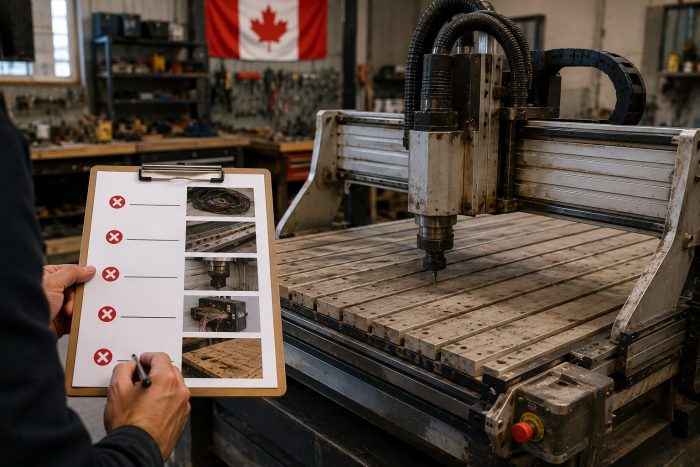
1. The supplier can’t tell you who fixes it when it breaks.
Importing direct from overseas usually means no follow-up, no clear warranty, and no one to call. The math rarely works in your favour once something goes wrong.
2. The price seems too good to be true.
Some sellers list machines at prices that don’t reflect what’s actually included. Confirm freight, duty, software, and any optional packages before you compare prices across suppliers.
3. No clear power requirements.
If the spec sheet is vague on electrical, you’re going to have problems. Confirm voltage, phase, and amperage before ordering. Our small-format lineup is single-phase across the board, much simpler than industrial machines.
4. No software or workflow plan.
The machine is half the system. If software, training options, and a workflow plan aren’t part of the buying conversation, expect a slower ramp once the machine lands.
5. No real customer references.
Ask for actual customers using the machine you’re considering. A seller who can’t give you references probably doesn’t have happy ones.
Frequently Asked Questions
What’s the realistic price range for a CNC machine in Canada?
Our small-format CNC routers range from the DISCOVERY 1 desktop up to the PERFORMANCE 16ATC (48″ x 48″ with ATC). View current pricing on each product page. CO2 lasers run from the entry Muse Core up to the Atlas 4’x8′ 150W flatbed. View current pricing on each product page. All-in budget including software, dust collection, accessories, and freight typically runs 15 to 25 percent above machine price. The site shows pricing in your local currency. A quote will include freight and any applicable duty.
How do I know which CNC is right for my shop?
The fastest answer is a short conversation. Tell us what you’re cutting, how often, your floor space, and your electrical setup. We’ll recommend two or three machines worth comparing. No pressure, no hard sell.
Do I need three-phase power for any of these machines?
No. Every small-format CNC in our lineup runs on single-phase: 110V on the smaller desktop models, 220V single-phase at 10A on the production models. Most lasers in the lineup are also single-phase. The Atlas industrial flatbed and larger Nova configurations may have higher requirements; we confirm before recommending.
Can I finance a CNC purchase as a Canadian buyer?
Yes. Most Canadian buyers finance through bank business loans, equipment leases, BDC equipment financing, or third-party equipment finance partners. Monthly payments on a typical CNC machine purchase usually run in the low hundreds depending on term and structure.
How long from order to running production?
Most in-stock machines ship within two weeks of order. Optional install and training packages, when added, are scheduled around your shop’s readiness. Total time from order to running production is usually three to five weeks.
Ready to Talk Through Your Options?
If you’re a Canadian buyer thinking about your first or next CNC, get in touch for a short conversation. Tell us what you’re trying to build and we’ll point you at what makes sense. No high-pressure sales. Just experienced answers from a North American CNC company that has been supporting and shipping these machines from London, Ontario since 2009.