
Key Takeaways
- An easy web-based interface, clear documentation, and responsive support dramatically reduce the learning curve for first-time CNC users
- Your controller should grow from hobby or prototype work into small production without requiring a complete replacement
- Simply Technologies focuses on ethernet and network-based control solutions that minimize extra PCs and wiring complexity
- Align your controller choice with your current machine type (routers, mills, plasma, lathes) and your 2–3 year growth plans
- Prioritize controllers with modern connectivity features like ethernet, browser-based dashboards, and remote monitoring capabilities
Introduction: Why Your First CNC Controller Choice Matters
The cnc controller is the brain of your machine. It takes the G-code generated by your CAM software and translates it into precise step and direction signals that command your motors, manage your spindle, monitor limit switches, and handle safety I/O. When you’re just starting out, this piece of hardware and software can either accelerate your progress or become a frustrating bottleneck that slows everything down.
In 2025, the landscape of CNC control has shifted dramatically. Beginners today aren’t limited to clunky PC-tethered systems or cryptic command-line interfaces. Whether you’re a hobbyist upgrading a garage router, an engineer prototyping parts in a startup, or a small 2–5 person job shop adding your first cnc machine, the controller you choose now will shape how quickly you learn, how reliably you produce parts, and how smoothly you scale when business picks up.
Simply Technologies represents a newer approach to CNC control—practical, ethernet-connected solutions designed to be approachable for beginners yet capable enough for production work. This article walks through a concrete checklist of features and considerations so you can make an informed purchase before spending money on the wrong system.
Must-Have Features for Beginner-Friendly CNC Controllers
Before you research pricing or compare boards, understand the baseline features that separate a beginner-friendly controller from one that will leave you frustrated and hoping for better results.
User Interface
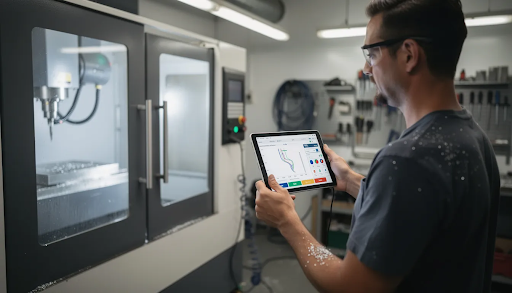
- Look for web-based or modern GUI interfaces that run in a browser, on a tablet, or on a simple PC
- Clear status indicators showing machine position, feed rate, spindle RPM, and active alarms
- Intuitive layouts that don’t require memorizing cryptic commands to operate basic functions
Motion Capabilities
- Support for 3–4 axes minimum with step-and-direction outputs
- Compatibility with NEMA 17, 23, and 34 stepper motors, plus small servos
- Smooth acceleration profiles (S-curve style motion) for clean cuts and reduced machine tool wear
- High speed step rates that won’t limit you as you increase feed rates on production jobs
Connectivity
- Ethernet as a priority for reliable, fast G-code file transfer and remote access
- Optional wifi for flexible controller placement in the shop
- USB as a backup for loading files when network isn’t available
I/O Basics
- Inputs for homing and limit switches on each axis
- An e-stop chain that can be wired to physical emergency stop buttons
- Probe input for Z-touchoff and workpiece probing cycles
- Outputs for spindle on/off, coolant control, vacuum tables, or dust collection relay
Power and Enclosure
- Ability to work with common 24–48V DC power supply units
- Fanless or dust-resistant enclosures suitable for placement on or near a router or mill
- Industrial-grade connectors that won’t vibrate loose during operation
Simply Technologies controllers embody these essentials, providing network-first designs with clean browser interfaces and robust I/O options that work across various cnc machine tools.
Ease of Use: Interface, Setup, and Learning Curve
For beginners, the learning curve is often the biggest hidden cost. A controller with poor documentation or a confusing interface can add weeks to your first project timeline, and the frustration can make you question the entire CNC hobby or business.
Ideal Setup Workflow
- Plug-and-play wiring with labeled terminals or connectors
- Browser-based configuration pages for setting steps per millimeter, acceleration, and travel limits
- Setup wizards for common machine types (router, mill, plasma)
- Ability to test each axis independently before running a full program
Simulation and Dry Run
- Online demos that let you explore the interface before purchase
- Simulation modes that visualize toolpaths and catch errors before the machine moves
- Sample G-code files so you can see how the system handles real jobs
Documentation Requirements
- Up-to-date online manuals with screenshots and clear explanations
- Wiring schematics for common motor and driver configurations
- Example machine configs for popular router and mill builds
- Video walkthroughs aimed at first-time CNC users, not veterans
In-Control Conveniences
- Jogging with keyboard, gamepad, or on-screen buttons
- Override sliders for feed rate and spindle speed adjustments on the fly
- Simple probing cycles for common tasks like finding workpiece zero
Simply Technologies’ website (https://simplytechnologies.xyz/) provides interface screenshots, setup examples, and getting-started workflows that demonstrate what a beginner-friendly control experience should look like.
Scalability: From First Parts to a Growing Shop
Many “beginner” controllers become a bottleneck the moment your shop starts running paying jobs. What worked fine for cutting a few signs on weekends can’t keep up when customers expect consistent parts and faster turnaround. Choosing a scalable controller from the start saves you from a costly replacement later.
Axis and Motor Growth
- Ability to add a 4th rotary axis later for more complex parts
- Flexibility to switch from open-loop steppers to closed-loop steppers or servos
- Support for external drivers when you upgrade to larger motors
- Linear motion support for high-accuracy machining centers
Performance Headroom
- Higher maximum step rates that won’t bottleneck faster feeds
- Support for higher microstepping without losing torque
- Motion planners that stay smooth at production speeds on aluminum, hardwood, or plastics
- Capable of handling the demands of cnc milling machines and more aggressive cuts
Shop-Level Needs
- Support for multiple machine profiles in one controller interface
- Network-based job loading from a central CAD/CAM workstation
- Run logging for estimating job times and tracking repeat work
- Development of shop-specific macros and custom probing routines
CAM Integration
- Compatibility with popular 2025 CAM platforms via standard G-code
- Works with Fusion 360, SolidCAM, FreeCAD Path, Vectric, and others
- No proprietary file formats that lock you into one software ecosystem
- Allows adding programmers and more complex workflows without changing controllers
Simply Technologies solutions can be introduced on one machine in a small shop and later become the standard platform across multiple routers, mills, or specialty rigs—bringing consistency to training, maintenance, and job transfer.
Connectivity, Remote Monitoring, and Shop Networking
Modern small shops increasingly rely on networking, even when they start in a single-bay garage. What seems like overkill today becomes essential when you’re running jobs for customers and need to check progress without standing at the machine.
Ethernet Connectivity as Baseline
- Reliable transfer of large 3D toolpaths without the delays of USB-stick workflows
- Ability to queue and run jobs directly from your office computer
- Fewer dropouts and communication errors compared to older USB or parallel port systems
- Network channel reliability that supports continuous production runs
Web Dashboards
- Live view of job progress accessible from any browser on your local network
- Real-time machine status, feed override, and spindle state
- Error messages and alarm history for troubleshooting
- Access from laptop, tablet, or phone without special software
Optional Camera Integration
- Low-latency video streams to visually check cuts from another room
- Ability to monitor multiple machines from one screen
- Still maintain physical e-stop access in the shop for emergencies
- Conveniently allows multitasking while jobs run
Multi-Machine Management
- Single dashboard to monitor several cnc controllers across your shop
- Track which job is running where and estimated completion times
- Schedule machine time across different operators
- Simplify operator training by using one consistent interface
Simply Technologies emphasizes this network-first design philosophy, making https://simplytechnologies.xyz/ the go-to resource for ethernet and web-based CNC control rather than legacy PC-tethered systems.
Support, Documentation, and Long-Term Reliability
Beginners often underestimate the value of responsive cnc support and stable electronics. When something goes wrong at 9 PM on a Sunday with a Monday deadline, the quality of your controller manufacturer’s support becomes crystal clear.
Support Channels to Evaluate
- Email and ticket systems with realistic response times (24–48 hours for small manufacturers)
- Knowledge bases with searchable articles on common issues
- Community forums where other users share solutions and ideas
- Phone or chat support for urgent situations
Documentation Quality
- Clear wiring diagrams with actual wire colors and connector pinouts
- Tested example machines (specific router or benchtop mill models)
- Troubleshooting guides using real-world failure examples
- Setup pages that explain not just what to configure but why
Hardware Quality Indicators
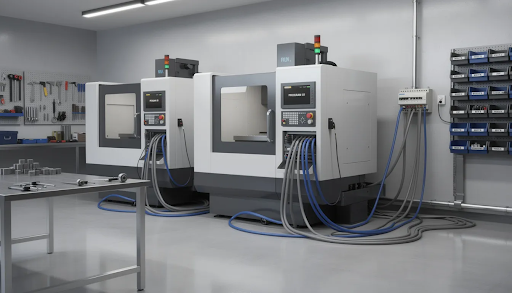
- Industrial-grade connectors that won’t corrode or loosen
- Protected inputs that tolerate electrical noise from spindles and motors
- Solid power stages for integrated stepper drivers
- Thermal management via fanless aluminum enclosures for 8+ hour runs
- Boards designed for the dusty, vibration-heavy environment of a machine shop
Development Roadmap
- Visible update history showing active firmware and software development
- New features regularly added based on user feedback
- Clear versioning so you know what’s changed between releases
- Manufacturers committed to long-term support, not abandoning products after launch
Simply Technologies positions itself as a long-term partner for both hobby-to-pro transitions and for established small shops standardizing on a single control platform. Their development approach emphasizes steady improvement rather than feature abandonment.
How to Match a Controller to Your Machine and Use Case
No single controller is ideal for every machine type. A plasma table has different demands than a precision mill, and a laser cutter needs different I/O than a wood router. Here’s how to work through the selection process systematically.
Common Machine Types and Requirements
| Machine Type | Key Controller Needs |
| Desktop CNC Routers | 3 axes, spindle PWM control, dust collection relay, moderate step rates |
| Benchtop Mills | 3-4 axes, rigid tapping support, coolant output, higher accuracy requirements |
| Entry-Level Plasma Tables | 2 axes + torch height, arc voltage input, faster traverse speeds |
| Light-Duty Laser Machines | 2-3 axes, laser PWM/TTL control, high speed motion for engraving |
| Turning lathes | 2 axes, spindle encoder feedback, threading cycles |
Compatibility Checklist
- Number of motor drivers required (typically 3-4 for most beginners)
- Maximum motor current your power supply can handle
- Voltage range (24V, 36V, or 48V DC are most common)
- Step/direction outputs vs. analog spindle control needs
- Availability of probing and limit switch I/O
- Whether you need USB, ethernet, or wifi connectivity
Planning for Growth
Map out your 12–24 month plans and ask yourself:
- Will I add a second or third machine?
- Do I need a 4th axis for rotary work?
- Will I move from hobby materials to aluminum or steel?
- Do I plan to hire operators who need to learn the system?
Ensure the controller you choose can handle those steps without a complete control replacement.
Getting Specific Guidance
Contact Simply Technologies via their website to discuss pairing controllers with your exact machine model, motor type, and shop environment. They can help with questions about creating custom configurations and ensuring compatibility before you purchase.
Quick Selection Checklist:
- [ ] Confirmed axis count matches your machine
- [ ] Motor voltage and current within controller specs
- [ ] Required I/O (limits, probe, spindle, coolant) available
- [ ] Connectivity type matches your shop setup
- [ ] Growth path exists for your 2-year plan
FAQ
The questions below address common concerns not fully covered in the main sections. Each answer aims to give practical, actionable guidance for beginners and small shops.
Do I need a separate computer to run a modern CNC controller?
Older PC-tethered systems required a dedicated Windows PC running real-time motion control software, which meant keeping a potentially unreliable computer in your dusty shop. Modern network-based controllers host their own web interface and run G-code internally—the computer only handles job preparation and browser access, not real-time motion. This architecture means you can use any laptop, tablet, or even phone to monitor jobs. Simply Technologies’ network-centric designs specifically reduce the need for a dedicated shop PC, letting you bring your everyday laptop to the machine only when needed.
Can I reuse my existing stepper motors and power supply with a new controller?
In most cases, yes. Check that your motors fall within the controller’s current rating (typically 2-4A per phase for NEMA 23 motors) and that your power supply voltage matches supported ranges (24-48V DC is common). NEMA 17, 23, and 34 steppers with standard 4-wire or 8-wire configurations work with nearly all modern step-and-direction controllers. Many shops retrofit older routers or mills by keeping perfectly good motors and power supplies while upgrading to a more capable, beginner-friendly controller. If you’re uncertain, Simply Technologies support can review your motor datasheets and photos of your current control box to confirm compatibility.
How hard is it to switch controllers on an existing CNC machine?
A typical retrofit involves documenting existing wiring, mapping limit switches and e-stop connections, reconnecting motors to the new drivers, and configuring steps per millimeter and travel limits in the new software. With good documentation and clear wire labeling, many users complete a small-machine retrofit over a weekend. The key is choosing a controller with step-by-step retrofit guides and example wiring diagrams. Simply Technologies publishes detailed wiring schematics and machine examples that make this process straightforward even for those who haven’t done electrical work before.
What kind of maintenance does a CNC controller require?
Modern controllers need minimal routine maintenance. Keep dust away from ventilation openings, periodically check for loose terminal connections, and ensure the enclosure has adequate cooling (especially important during long production runs). Plan for periodic firmware updates to access new features and bug fixes, back up your machine configuration files after any changes, and do quick visual inspections of cables and connectors every few months. Fanless, sealed or semi-sealed enclosures—like those favored by Simply Technologies—reduce dust-related problems significantly in wood and composite shops where airborne particles are constant.
When should a growing shop standardize on one controller platform?
Once you have two or more CNC machines, using the same controller type simplifies operator training, spare parts inventory, and program transfer between machines. If you’re planning to add a second machine within 12–18 months, it makes sense to choose a controller now that you’re comfortable scaling across all future equipment. This approach lets you build expertise on one system rather than constantly learning new interfaces. Simply Technologies is well-suited for this kind of standardization due to its focus on ethernet connectivity, beginner-friendly setup process, and suitability for both prototype work and light production across different machine types.