
Key Takeaways
This article helps CNC shop owners quickly decide if it’s time to move beyond manual tool changes and invest in automation.
- Frequent manual tool swaps, idle machines, and overtime are clear signs the current workflow is holding your shop back from reaching its potential.
- Switching from manual tool changes to automation is less about adding bells and whistles and more about reclaiming hours of spindle time and labor each week.
- Modern solutions like those from Simply Technologies can add automatic tool changing to existing machines or guide a new-machine purchase decision.
- The rest of this article walks through specific, measurable indicators and practical next steps so you can start making informed decisions about your production processes.
What Is Manual Tool Change on a CNC?
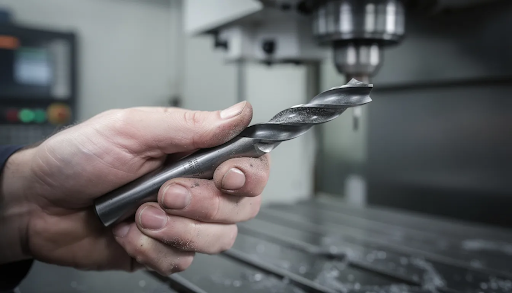
A manual tool change on a CNC means the operator stops the program, loosens the toolholder (whether it’s an ER collet, BT30, CAT40, R8, or another style), swaps the tool by hand using wrenches or a drawbar release, and then re-tightens everything before resuming the cut. This process is standard on many entry-level routers, mills, and small VMCs that serve job shops, prototyping labs, and hobbyist setups.
Each manual tool change typically takes anywhere from 30 to 120 seconds, depending on machine layout, workholding complexity, and operator skill. For jobs requiring 5 to 20 tool changes per part, this forces the operator to stay close to the machine rather than managing parallel tasks like programming, inspection, or setup on other equipment.
While manual tool change works fine for very low-volume work or simple projects with one or two tools, it becomes a major bottleneck once your parts-per-day or parts-per-week targets increase. The process that felt manageable when you were making a handful of prototypes can quickly drain efficiency as order sizes grow.
Early-Warning Signs Your Shop Has Outgrown Manual Tool Changes
There are practical, easy-to-measure indicators that manual tool changes are quietly draining time and profit from your shop. Many owners don’t realize how much manual processes slow them down until they start tracking the numbers.
Here are common warning signs to watch for:
- Operators spend more than 1–2 hours per shift swapping tools instead of running production
- Machines sit idle several minutes every hour waiting for the next tool change
- Overtime has become normal just to hit delivery dates
- You avoid multi-tool jobs because they “tie up” an operator for too long
- Jobs with 6+ tools feel like scheduling nightmares
- Your best machinist spends more time standing at the spindle than monitoring cuts
Ask yourself a few quick questions: Does your main mill sit idle several minutes every hour waiting for the next tool change? Do you hesitate to quote complex parts because of the tool-change burden? Have you turned down work because you couldn’t guarantee production timelines?
Consider a small shop running aluminum brackets that require 8 tools and 30+ manual changes per batch. If each change takes 60 seconds, that’s 30 minutes of non-cutting time per batch—before accounting for any mistakes, dropped tools, or offset adjustments. Multiply that across a week of batches, and you’ve lost hours of spindle time that could have been generating revenue.
If multiple items on that checklist ring true, it’s time to evaluate automation options rather than hiring more manual labor.
Productivity Pain Points Caused by Manual Tool Changes
The real problem with manual tool changes isn’t the motion itself—it’s the cumulative downtime and interruptions across a full day or week. What feels like “just a minute” at the machine adds up quickly when you step back and look at the numbers.
Here’s a typical scenario: 40 tool changes per day at 60 seconds each equals 40 minutes of non-cutting time daily. Stretched across 200 working days per year, that’s over 130 hours of lost spindle time per machine annually. If your shop rate is $75/hour, that’s nearly $10,000 in lost capacity from a single machine.
Frequent stopping and starting also increases the risk of mistakes:
- Loading the wrong tool because of a rushed swap
- Entering an incorrect length offset on the z axis
- Forgetting to fully tighten the collet, leading to tool pullout or collisions
- Restarting the program at the wrong line after an interruption
Manual changes break operator focus, making it harder to manage multiple machines or handle parallel tasks like CAD work, inspection, and job setup. The result is a workflow where skilled labor is consumed by repetitive handling instead of value-adding machining.
Before automation: One operator, one machine, constant manual swaps, 60% spindle utilization, no time for anything else.
After automation: One operator supervises two machines, automated changes run quickly in seconds, 85%+ spindle utilization, time freed for setup and quality checks.
Financial and Scheduling Red Flags
Beyond annoyance and fatigue, manual tool changes show up clearly in cost-per-part and delivery performance. The numbers tell the story even when the day-to-day feels “normal.”
Take a hard look at these metrics in your shop:
| Metric | What to Watch |
| Quoted cycle time vs. actual | Parts consistently taking 20–30% longer than quoted |
| On-time delivery rate | Jobs delivered late more than 10–15% of the time |
| Job rescheduling | Frequent splits or delays due to machine availability |
| Overtime hours | Regular overtime just to meet baseline commitments |
Here’s a simple example: A part is quoted at 12 minutes of cycle time but actually takes 16 minutes because of manual tool swaps. On a 100-part order, that’s 400 extra minutes—nearly 7 hours of unplanned machine time. Multiply that across your monthly volume, and you’ll see how margins erode and schedules slip.
As order volume grows—say, when a customer moves from 10-piece prototypes to 100–500-piece batches—the hidden manual time becomes visibly unprofitable. Many shops respond by hiring more operators or running extra shifts, which is more expensive long-term than adding automation to existing capacity. The budget impact of manual processes often hides in plain sight until you run the numbers.
Operator Workload, Safety, and Consistency Concerns
Many small shops rely on one or two highly skilled machinists who handle most of the manual tool changes alongside programming, setup, and quality checks. This model works until it doesn’t—and the cracks often show up as safety issues or quality problems.
Manual tool changes increase repetitive motions throughout the shift:
- Reaching into the enclosure dozens of times per day
- Loosening and tightening drawbars or collets with wrenches
- Handling sharp end mills, drills, and other cutters
- Wiping chips and coolant from the spindle area
Safety risks accumulate with each change. Hot chips, coolant exposure, and accidental contact with sharp tools become more likely when operators are hurrying to keep up with the schedule. Fatigue and context-switching increase the chance of loading the wrong tool, skipping an offset check, or restarting the program at the wrong position.
These human-factor issues lead directly to:
- Scrap parts and rework
- Damaged spindles or fixtures from improperly seated tools
- Inconsistent part quality from variable manual tightening
- Increased waste of material and time
These costs don’t appear on the tool-change time sheet, but they affect the bottom line and can undermine the reliability your customers expect.
When to Transition from Manual Tool Changes to Automation
There’s no single “right day” to upgrade, but there are clear thresholds where automation almost always makes financial and operational sense. The decision becomes easier when you look at concrete triggers.
Consider automation when:
- You run at least 4–6 hours of production per day on a machine with more than 10 tool changes per part
- Multiple jobs in your weekly schedule require 6+ tools each
- Your non-cutting time from tool changes regularly drops spindle utilization under 60–70%
- You’re planning to add a second or third similar CNC in the next 6–18 months
If you’re about to replicate your current setup across more machines, it’s worth pausing to ask whether you’re also replicating a bottleneck. Investing in automation now can prevent multiplying a manual problem.
Automation is not an all-or-nothing decision. Many shops start by automating tool changes on their busiest machine first, then expand as ROI becomes clear. This phased approach lets you learn, adapt, and build confidence before committing to broader changes.
How Automated Tool Changing Solves Manual Tool Change Limitations
An automatic tool changer (ATC) swaps tools in seconds based on the program, without operator intervention. Instead of stopping the machine, walking over, and manually handling the change, the CNC calls the next tool by number and the ATC completes the switch automatically.
ATCs on mills and routers typically hold multiple tools—6, 10, 16, or more—in a carousel or linear rack. Each tool is assigned a number in the CNC program, and seamless transitions happen mid-job without any pause for human involvement.
Here’s how the performance compares:
| Process | Time per Change | Operator Needed |
| Manual tool change | 60–120 seconds | Yes |
| Automatic tool changer | 2–8 seconds | No |
This speed difference grows with job complexity. A part with 15 tool changes might save 15–20 minutes per cycle with an ATC—time that adds up to hours per shift.
Automation lets operators step away to set up the next job, inspect parts, or supervise another machine while the current job runs through dozens of tool changes unattended. This ability to leverage existing labor across more output is one of the clearest benefits of upgrading.
Consistent, automated tool clamping and offset usage also improve part repeatability, reducing the chance of variation introduced by inconsistent manual tightening or offset entry. The result is more consistent precision across your production runs.
How Simply Technologies Helps You Move Beyond Manual Tool Changes
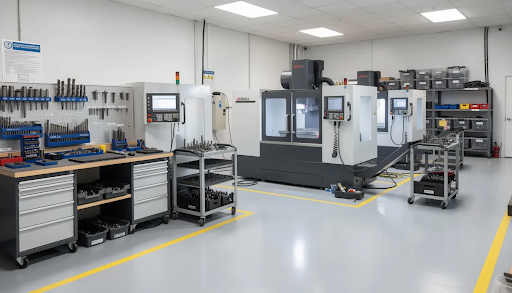
Simply Technologies focuses on helping small and mid-sized CNC shops modernize their workflows without unnecessary complexity. Whether you’re exploring a retrofit for an existing machine or planning a new purchase equipped with integrated ATC, the team can help you find a path that fits your shop.
Simply Technologies supports customers through:
- Application review: Understanding your current jobs, tool counts, and production volume
- ROI estimation: Using your real tool-change data to project time and cost savings
- Integration guidance: Mapping out what’s needed to add automation to your existing setup
- Long-term maintenance planning: Ensuring durability and reliability for years of operation
The emphasis is always on practical, shop-floor outcomes: more spindle uptime per shift, more predictable delivery dates, and less dependence on one “hero” operator to keep everything running. Solutions from Simply Technologies are designed to support modern manufacturing goals without overcomplicating your operations.
Ready to start a conversation about your current manual tool change situation? Visit simplytechnologies.xyz to explore solutions and see how your shop can reclaim lost hours.
FAQ
Do I have to buy a new CNC machine to get away from manual tool changes?
Not every shop needs a brand-new machine. Some existing mills and routers can be retrofitted with automatic tool changers or complementary automation, depending on spindle type, control compatibility, and mechanical layout. A technical review is necessary to decide between retrofit and replacement. Simply Technologies can help assess what’s realistic for your machine and budget, so you’re not forced into a purchase that doesn’t make sense.
How can I estimate the return on investment for reducing manual tool changes?
Start by tracking your average number of tool changes per job, time per manual change, jobs per week, and operator hourly cost. Then compare your current total against the expected automated change time to estimate recovered hours. Factor in reduced scrap, fewer rush jobs, and the ability to run longer jobs with less supervision—not just direct labor savings. Many shops are happy to discover the payback period is shorter than expected once all the benefits are included.
Is automation worth it if my work is mostly prototypes or small batches?
For very small runs with only a couple of tools, manual tool changes may still be acceptable. But as soon as prototype work involves many tools or frequent design revisions, automation can help keep schedules under control. An ATC makes it easier to switch between different setups and tools quickly, which benefits high-mix, low-volume prototype environments as much as production shops. The ease of handling complex, changing projects often justifies the investment even when batch sizes stay small.
Will my operators need extensive training to move away from manual tool changes?
There is a learning curve, mainly around programming tool calls, managing tool libraries, and maintaining the ATC assembly, but most experienced CNC operators adapt quickly. Structured onboarding—such as a focused day or two of training and a few weeks of supervised use—can make the transition smooth and build confidence in the new process. Operators generally appreciate having more time to focus on higher-value tasks instead of repetitive manual swaps.
What if I don’t have the floor space or budget for a large new machine with ATC?
Automation doesn’t always require a huge footprint or top-tier machine. There are compact and modular approaches that can upgrade an existing workflow within realistic space and budget limits. Consult Simply Technologies about incremental options that align with your current constraints. Many shops are surprised to learn that improvements are within reach even when they assumed automation was out of range.
For more posts on improving your CNC workflow, check back regularly or reach out to Simply Technologies for personalized support.