
Key Takeaways
Laser cutters and CNC routers represent two fundamentally different approaches to digital fabrication. Laser cutters excel at processing thin materials with exceptional fine details, while CNC routers dominate when working with thick materials, 3D work, and structural parts that require depth control.
- Laser cutting is ideal for engraving, signage, intricate patterns, and decorative work on materials typically under 10mm thick
- CNC routing is better suited for furniture building, structural prototypes, multi-material projects, and anything requiring 3D carving or variable depth
- Your choice should be guided by your primary material (wood, acrylic, metals), typical thickness requirements, level of detail needed, and whether your work is decorative or structural
- For most serious woodworking and multi-material fabrication, a CNC router usually offers more versatility, with laser capability serving as a strong complement for surface detail and branding
- You can explore specific machine specifications, setup guides, and workflow examples on simplytechnologies.xyz
Introduction: Why Compare Laser and CNC Router Now?
Small shops, makers, and businesses in 2024–2025 commonly face the same decision: should their first digital fabrication machine be a desktop laser cutter or a desktop CNC router? Both technologies have become increasingly accessible, with capable machines available at price points that make sense for home workshops and small production environments alike.
While both are computer numerical control technologies that follow programmed toolpaths, they behave very differently in practice. A laser beam vaporizes material through heat, while a router bit physically removes material through mechanical cutting. This fundamental difference drives everything from the thickness you can process to the type of finish you achieve.
This article is written from the perspective of practical workshop use—sign-making, furniture building, product prototyping, personalized gifts, and small-batch manufacturing. You can find detailed machine specs, setup tips, and workflow examples on simplytechnologies.xyz as you narrow down your options. The sections that follow walk step-by-step through how each technology works, their strengths and limitations, and how to decide which is better for your specific type of work.
How Laser Cutters and CNC Routers Work
At the most basic level, laser cutters use focused light to cut and engrave, while CNC routers use a spinning cutting tool to carve and shape. Both are CNC machines that follow computer-generated toolpaths—typically created in CAD software or design software—but they interact with materials in completely different ways.
Consider two simple examples. A laser cutter might produce a decorative ornament by vaporizing a path through 3mm birch plywood in a single pass, leaving clean edges with a narrow kerf of less than 0.1mm. A CNC router, by contrast, might carve a 25mm thick oak sign with 3D text, using multiple passes at controlled depth to create dimensional letters with visible shadows and texture.
The laser operates as a non contact process—the beam never physically touches the material, which means no tool wear but also no ability to create true 3D relief. The router is inherently a contact process, with the router bit engaging the material directly, allowing for variable depth pockets, profiles, and sculptural surfaces that lasers simply cannot achieve.
CNC Router Basics
A CNC router is a gantry-style machine with a high-speed spindle that physically removes material using rotating bits. The spindle moves across X, Y, and Z axes while the cutting tool—whether an end mill, V-bit, or ball-nose bit—shears away stock to create the programmed shape.
Realistic capabilities for small and mid-sized CNC routers include cutting woods, plastics, foams, and soft metals like aluminum and brass. The Z axis limit on these machines typically ranges from 50mm to 150mm, allowing work on thick materials that would be impossible for desktop lasers. Feed rate, spindle speed, and step-down parameters allow operators to tune the machine for different materials and surface finish requirements.
CNC routing is the process of choice for furniture parts, cabinetry panels, jigs, fixtures, and any structural component that needs to be machined from solid stock. When you need to create dados, rabbets, mortises, or 3D carved surfaces, a CNC router is the machine that delivers.
Key CNC Router Features
Modern CNC routers offer movement across multiple axes—3-axis machines handle most flat and 2.5D work, while 4 or 5-axis machines can handle complex contours and machining of curved surfaces. For most small shops, a 3-axis machine with good Z travel covers the vast majority of projects.
Typical tool options include:
| Tool Type | Primary Use |
| Straight end mills | Profile cuts, pockets, slots |
| Ball-nose bits | 3D relief carving, smooth curves |
| V-bits | V-carving text, decorative details |
| Surfacing bits | Flattening slabs, large area finishing |
| Drill bit | Holes and through-bores |
Working areas for hobby and small-shop machines range from approximately 300×180mm up to 1000×1000mm or larger. This directly affects the size of projects you can tackle—and whether you can nest multiple parts on a single sheet for batch efficiency.
Good machine rigidity is essential for accuracy. Proper workholding using clamps, T-tracks, or vacuum tables keeps material secure during cutting. Dust collection is important for both accuracy (preventing chip buildup) and workshop cleanliness. Readers can compare actual router models, bed sizes, and bundled accessories on simplytechnologies.xyz.
Laser Cutter Basics
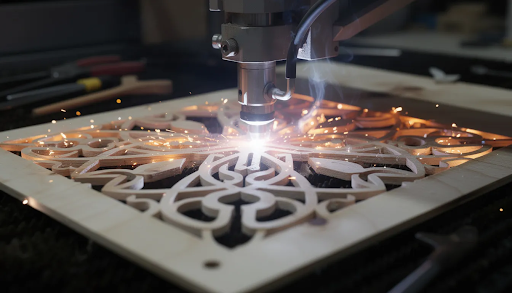
A laser cutter focuses a laser beam to a tiny spot—typically under 0.1mm—to melt or vaporize material along a programmed path. The result is an extremely narrow kerf and remarkably clean edges on suitable materials.
The common desktop types in 2024 include:
- Diode lasers (typically 5–40W optical power): Good for engraving and cutting thin wood, leather, and dark-colored materials up to about 6–8mm with multiple passes
- CO₂ lasers (typically 40–150W for small shops): Handle a wider range of materials including clear acrylic, cutting wood and acrylic up to 10–15mm efficiently
Because lasers are a non contact process, there is no tool wear in the traditional sense. However, they generate significant heat, smoke, and fumes that require proper extraction or filtration. Never operate a laser cutter without adequate ventilation.
Practical examples of typical laser work include laser engraving logos on cutting boards, cutting 3–6mm acrylic letters for signage, and producing intricate card-stock invitations with fine details impossible to achieve with mechanical cutting. A laser engraver can also create detailed photo engravings on wood using grayscale techniques.
The key limitation: lasers are primarily 2D tools. They cut and engrave in the X–Y plane with very limited depth control compared to routers. You can adjust power and speed to control penetration, but you cannot create true 3D relief or variable-depth pockets.
Key Laser Cutter Features
Core laser capability includes an extremely narrow kerf (often under 0.2mm), very fine details down to fractions of a millimeter, and the ability to rapidly switch between cutting and engraving in a single job without tool changes.
The main parameters for controlling cut quality are:
- Power: Higher power cuts deeper and faster
- Speed: Slower speeds increase energy delivery per unit length
- Number of passes: Multiple passes can cut through thicker pieces that a single pass cannot penetrate
Many modern desktop lasers include built-in cameras for material alignment, autofocus for consistent beam focus, air-assist to blow debris from the cut path, and Wi-Fi connectivity for wireless file transfer. These features simplify setup and improve edge quality.
Different wavelengths behave differently on various materials. Blue diode lasers cut dark woods well but laser cutters struggle with clear acrylic and light-colored materials. CO₂ lasers handle acrylic and many organic materials cleanly because of their longer wavelength absorption characteristics.
You can find example laser projects, material charts, and recommended settings ranges on simplytechnologies.xyz.
Core Differences: Laser vs CNC Router
The following subsections break down the most important differences that affect real-world buying decisions. These differences show up in thickness capacity, material compatibility, edge quality, level of detail, speed, operating costs, and noise/fume considerations.
Think of each subsection as a lens through which to evaluate which machine better fits your specific type of work. Map these factors to your own use case to reach a clearer decision.
Material Thickness and Types
CNC routers routinely cut thick materials that lasers cannot practically process. Examples include 18–25mm birch plywood for furniture and cabinetry, 40mm hardwood boards for tabletops and structural components, and multi-layer MDF panels for jigs and fixtures.
Realistic laser limits depend on technology:
| Laser Type | Typical Cutting Capacity (Wood) |
| Desktop diode (10-20W) | 3–8mm with multiple passes |
| Entry CO₂ (40-60W) | 6–12mm wood or acrylic efficiently |
| Higher power CO₂ (80W+) | Up to 15-20mm in single passes |
For thicker pieces—solid tabletops, structural panels, dense hardwoods—the CNC router is the clear choice. Lasers shine on thin materials: sheet goods under 10mm, veneers, fabrics, leather, and paper-based products where their speed and precision excel.
Some metals like aluminum are practical on CNC routers with the correct bit and appropriate feed rates. Affordable desktop lasers typically engrave metals (often using coatings like Cermark or anodized surfaces) rather than cutting through them.
Cut Quality, Precision, and Detail
Laser cutters create very smooth cuts with minimal kerf and excellent repeatability. The narrow kerf allows intricate patterns, small slots, tight-fitting joints, and micro-text that would be impossible to achieve with any router bit. Edge quality on suitable materials is often ready for assembly without additional finishing.
CNC routers can achieve high accuracy—around ±0.1mm on well-tuned machines—but may leave visible tool marks, especially on end-grain and tight curves. These typically require light sanding to achieve a finished appearance. The finish quality depends heavily on selecting the correct bit, proper feed rate settings, and appropriate spindle speed.
The critical difference is depth capability. Routers create variable-depth pockets and full 3D relief carvings. Lasers apply essentially uniform cutting depth and surface engraving—you can create tonal variation through grayscale or dithering, but not true sculptural depth.
Practical comparison:
- A 3D carved relief map or sculpted logo → CNC router
- A filigree earring design or micro text engraving → laser
- Dimensional objects with varying surface heights → CNC router
- Intricate designs on flat surfaces → laser
Speed and Workflow Efficiency
For thin materials—3mm plywood ornaments, 2mm acrylic tags, leather patches—lasers often complete jobs faster than routers because they cut in a single rapid pass. High-powered fiber lasers can achieve speeds exceeding 4,000 inches per minute on thin metals, while CNC routers typically max out around 200 inches per minute.
For thick stock—25mm oak signs, laminated countertops, furniture panels—CNC routers are much faster and more practical. Lasers would need many slow passes at lower power settings, likely producing burn marks and charred edges rather than clean cuts.
Lasers simplify workflow for engraving-heavy jobs. One setup handles scoring, engraving, and cutting without tool changes. The design software workflow is often simpler: import a vector file, set power and speed, and run.
Routers require more attention to tool selection, feed rates, spindle speeds, and cam programs for generating toolpaths. This represents a steeper learning curve but rewards that effort with deeper, more complex geometries—including dimensional objects—in a single setup.
Operating Costs, Maintenance, and Environment
Both technologies have ongoing operating costs, but the profiles differ:
| Cost Factor | CNC Router | Laser Cutter |
| Primary consumable | End mills and bits (periodic replacement) | Laser tube/diode, lenses, mirrors |
| Dust/debris | Chips and fine dust | Smoke and fumes |
| Extraction needed | Dust collection system | Fume extraction or filtration |
| Noise level | Higher (spindle + cutting) | Generally quieter (but exhaust fans add noise) |
| Power consumption | Moderate (spindle + steppers) | Can be high during sustained cutting |
CNC milling machine operations generate chips and wood fibers that require dust extraction and often masks or respirators for operator safety. Lasers generate fumes and particulates—some potentially harmful depending on material—requiring good ventilation, filters, and enclosed operation.
Regarding noise, routers produce more mechanical and spindle noise, especially when cutting dense materials. Lasers are generally quieter during the actual cutting process, though exhaust fans and air compressors can still be loud.
Learning Curve and Software
Both technologies rely on digital design files—usually vectors or CAD models. However, the two methods differ significantly in workflow complexity.
Laser workflows are often simpler for pure 2D cutting and laser engraving. Many laser machines work directly with common design files, requiring only power and speed adjustments. Software like CorelDRAW or other vector programs can output directly to many laser controllers.
CNC routers require users to understand more parameters:
- Tool diameter and geometry
- Step-down and depth per pass
- Feed rate and spindle speed
- Workholding strategy
- G code generation through CAM programs
This creates a steeper learning curve, but mastering these concepts opens up full 3D machining, complex joinery, and precision part-making. Software combinations like Carbide Create for design and Carbide Motion for machine control simplify the process for beginners, though the learning curve remains steeper than laser operation.
Many modern machines in both categories work with user-friendly CNC software that combines design and toolpath generation, reducing complexity. Readers can explore detailed software and workflow guides on simplytechnologies.xyz for step-by-step examples with both routers and lasers.
Choosing Based on Your Type of Work
This section serves as your decision helper. Here you can map common use cases—signs, furniture, crafts, prototypes—to either laser, CNC router, or a combination of both.
Before reading through the subsections, identify your primary materials (hardwood, plywood, acrylic, leather, aluminum) and typical thicknesses. This context makes the following recommendations immediately actionable.
Each subsection presents common project categories and clearly states which machine usually fits better and why.
Woodworking and Furniture Building
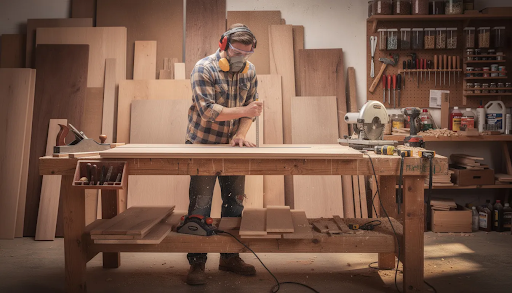
For serious woodworking and furniture—cabinets, tables, chairs, shelves, built-ins—a CNC router is almost always the primary machine. The router’s ability to handle thick materials, create joints, and machine structural components makes it indispensable.
Typical CNC routing applications in furniture include:
- Cutting 18mm plywood cabinet parts with precision dadoes and rabbets
- Creating mortise and tenon joints in hardwood
- Carving decorative relief panels and millwork
- Surfacing rough cut lumber and slabs
- Machining jigs and fixtures for repeatable production
Lasers can complement this work by engraving logos, serial numbers, and decorative patterns onto finished pieces or thin veneers. But they cannot replace the router’s core capability for creating the structural components themselves.
If you’re building a furniture-focused shop, start with a CNC router. Add a laser later for decorative and branding work once your production workflow is established.
Signage, Branding, and Decorative Work
Both technologies excel in signage, but with different aesthetics and strengths.
CNC routers excel at:
- V-carved cedar signs with deep letter shadows
- Dimensional 3D signs with raised or recessed elements
- Large format signs from thick HDU foam or MDF
- Carved logos with tactile depth
Lasers excel at:
- Intricate acrylic LED edge-lit signs
- Photo engravings on wood or coated metals
- Ultra-detailed graphics with fine lines
- High-volume production of tags, nameplates, and awards
Businesses focusing on branded gifts, awards, tags, and high-volume personalized items will likely benefit more from a laser first. The speed for high speeds engraving and cutting thin materials makes lasers highly efficient for these applications.
Mixed shops often use routers for large, dimensional sign blanks and then lasers to add fine text, logos, and detailed graphics on top. This combination delivers the best of both worlds: structural depth from the router, surface detail from the laser.
Prototyping and Product Development
For mechanical prototypes needing precise fit, threaded holes, and structural parts—brackets, enclosures, fixtures, functional components—CNC routers offer better control over thickness and depth. You can machine various materials including woods, plastics, and aluminum to create parts that actually work under load.
Lasers are strong for quick 2D iterations: cutting flat patterns for packaging mockups, templates, panel overlays, and visual prototypes. The speed from design to finished part is hard to beat when you only need a flat cut-out.
A common workflow for product developers:
- Start patterns and visual layouts on a laser for rapid iteration
- Move to a CNC router once you need real, load-bearing components
- Use laser for final branding and marking on finished parts
If your prototyping involves multi-material work—wood combined with acrylic combined with aluminum—consider a CNC router as the central tool with a laser as a fast iteration companion.
Crafts, Small Gifts, and Online Stores
Common craft products include jewelry, keychains, wall art, ornaments, phone stands, and personalized gifts. These are typically made from 2–6mm wood, acrylic, or leather.
Lasers are often the most efficient tool for this category. They handle intricate shapes, small text, and engraving in one continuous workflow. A single laser job can cut, score, and engrave without any tool changes or repositioning.
Routers still have a place for thicker, premium items like:
- Carved cutting boards with 3D texture
- 3D relief art and layered signs with noticeable depth
- Wooden boxes with machined joinery
- Items that benefit from the mill finish rather than laser-cut edges
If you run an online craft shop, consider whether your catalog is mostly thin, flat goods (laser) or thick, dimensional pieces (router) before deciding on your first CNC machine.
Educational, Maker-Space, and Hobby Use
Classrooms and makerspaces often prioritize quick results and simple workflows. A small laser cutter is attractive for beginners because the path from idea to finished piece is short. Import a design, set power and speed, press start.
CNC routers teach more advanced concepts: tool selection, feeds and speeds, depth strategy, workholding, and the relationship between computer control and physical material removal. This is valuable for engineering and fabrication education, even if the learning curve is longer.
If only one machine will be purchased for a mixed-use learning environment, the choice should reflect program focus:
| Program Focus | Recommended First Machine |
| Design, arts, graphics | Laser cutter |
| Engineering, fabrication, woodworking | CNC router |
| General makerspace | Consider both if budget allows |
Lab managers and makerspace coordinators can use simplytechnologies.xyz as a reference when specifying machine sizes, safety setups, and curriculum-aligned project examples.
When You Might Need Both
Many professional shops and serious hobbyists eventually benefit from having both a CNC router and a laser cutter in their workshop. The two technologies complement each other rather than compete.
The router handles heavy, structural, and 3D work—furniture parts, thick signs, jigs, fixtures, and anything requiring depth control. The laser specializes in surface detail, branding, thin material processing, and fine details that would be impractical or impossible with mechanical cutting.
Concrete workflow examples:
- Cut and carve a thick wooden sign on a router, then laser-engrave fine text or QR codes
- Machine aluminum brackets on a router and add etched labels with a laser
- Create 3D carved wooden map artwork on a router, then laser-engrave city names and details
- Build furniture panels on a router, then laser-engrave customer logos or serial numbers
A practical upgrade path: start with the machine that best fits 80% of your current work. Once your workflow is established and demand justifies expansion, add the complementary machine. This phased approach lets you develop skills on one platform before adding complexity.
simplytechnologies.xyz offers guidance on space planning, dust and fume management, and power requirements when running both machine types in one workshop.
Conclusion
Neither technology is universally “better.” The right choice depends entirely on your materials, thickness requirements, and whether your focus is structural or decorative.
Choose a CNC router if:
- You mainly build furniture, fixtures, and structural parts
- Your typical materials are 15mm or thicker
- You need 3D carving, joinery, or variable-depth machining
- You work with harder materials including aluminum
- You value depth and dimensional capabilities over ultra-fine detail
Choose a laser cutter if:
- You focus on thin materials under 10mm
- Engraving and surface detail are primary requirements
- You need intricate patterns and fine lines
- Speed on flat sheet goods matters most
- Your work is decorative rather than structural
Many successful shops eventually run both machines to cover the full spectrum from heavy machining to ultra-fine engraving. The combination is powerful—each tool excels where the other has limitations.
Ready to make your decision? Visit simplytechnologies.xyz to compare specific machine options, learn about setup and safety requirements, and see real project examples that match your type of work. Whether you start with a router, a laser, or both, the right machine becomes a powerful extension of your creative and production capabilities.
FAQ
Is a laser cutter or CNC router better for a first machine in a small home workshop?
If you mainly want to engrave and cut thin materials—3–6mm plywood, acrylic, leather, paper—for crafts and small products, a desktop laser is usually the easiest first step. Setup is relatively simple, the learning curve is shorter, and you can produce finished items quickly.
If your goal is to build furniture, jigs, fixtures, and thicker wooden or plastic parts, a CNC router is the better foundation machine. It handles the structural work that lasers simply cannot perform.
Space, noise tolerance, and ventilation options also matter. Lasers require fume extraction but are generally quieter. Routers need dust collection and produce more noise but don’t require the same level of air filtration. Evaluate your home workshop constraints alongside your project goals.
Can a CNC router replace a laser cutter for engraving?
CNC routers can engrave text and graphics using V-bits and small end mills. They’re particularly good for deeper, carved engravings with visible depth and shadow—the classic V-carved sign look, for example.
However, for very fine logos, tiny text (under 3mm height), or photo-style images, lasers typically deliver cleaner and more detailed results with less setup time. The router bit has a physical diameter that limits how fine the detail can be, while a laser’s beam diameter is a fraction of a millimeter.
A router can handle many CNC engraving tasks, especially those benefiting from depth. But it does not fully replace the unique speed and detail of a dedicated laser engraver for surface-level precision work.
What safety considerations differ between lasers and CNC routers?
CNC routers require hearing protection due to spindle and cutting noise, eye protection from flying chips, and good dust extraction or respirators because of fine dust—especially when cutting MDF or certain plywoods that contain adhesives.
Lasers require proper eye protection rated for the specific wavelength (especially important for visible-light diode lasers), fire awareness since you’re working with focused heat, and effective fume extraction or filtration to handle smoke and potentially harmful vapors from various materials.
Both machines should never be left unattended during cutting. Follow local electrical and ventilation codes, and ensure proper fire suppression is accessible. The specific hazards differ, but both technologies demand respect and proper safety protocols.
How much maintenance do these machines actually need?
CNC routers need regular bit inspection and replacement—end mills dull over time, especially when cutting abrasive materials or running with suboptimal feed rates. Linear rails or lead screws require periodic lubrication. Dust accumulates on moving parts and electronics, requiring regular cleaning to maintain accuracy and prevent overheating.
Lasers require cleaning of lenses and mirrors (contaminated optics reduce power and cut quality), checking and replacing filters in exhaust systems, and eventual replacement of the laser tube or diode module after a certain number of operating hours—often measured in thousands of hours for quality units.
Plan for routine maintenance time each month. Specific maintenance schedules and checklists for your chosen machine type are available on simplytechnologies.xyz.
Can I run a laser cutter and CNC router in the same room?
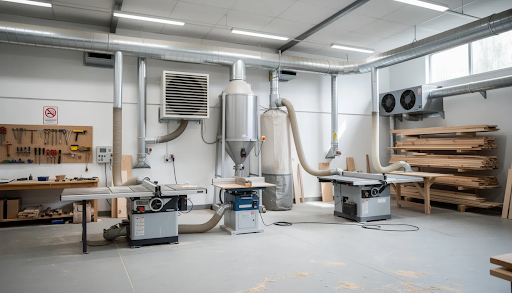
Yes, you can run both in the same workspace—but only if dust from the router and fumes from the laser are properly controlled. Without separation and filtration, router dust can contaminate laser optics and cause premature degradation, while laser fumes shouldn’t be mixing with general workshop air.
Recommended setup includes:
- Separate dust extraction for the router (shop vacuum or dust collector)
- Enclosed laser with dedicated ducting to outside or through a filtration unit
- Sufficient airflow to prevent cross-contamination
- Adequate power circuits for both machines
Review layout, airflow, and power-planning examples on simplytechnologies.xyz before installing both machines in a shared room. Proper planning prevents problems and keeps both machines performing at their best.